✨ Meet LaunchPad Docs — Beautiful. Developer-First. Conversion-Focused.
Beautiful documentation that converts users
LaunchPad is the documentation engine built to grow with your product. Out-of-the-box styling, interactive API playgrounds, and intelligent AI search.
Trusted by engineering teams at forward-thinking companies
STUNNING BY DEFAULT
Everything you need to build trust at scale
LaunchPad handles all the design details, formatting, and performance logic so your team can focus exclusively on writing great content.
Stunning by Default
No more fighting with CSS or layouts. We care about typography, syntax highlighting, dark mode defaults, and responsiveness so your documentation feels ultra-premium from day one.
Git-Based Sync
Manage your documentation exactly like your codebase. Connect GitHub and deploy updates on every merge.
To github.com:org/docs.git
Intelligent AI Search
DocChat answers complex queries instantly. Minimize support ticket loads by training AI directly on your documentation.
Interactive API Playground
Give developers a hands-on sandbox experience. Let them test API endpoints, switch languages instantly, and view live JSON payloads directly from your documentation page.
INTERACTIVE SANDBOX
Docs developers can actually use
Your API reference shouldn't just be a static list. Turn your endpoints into interactive playgrounds.
https://api.launchpad.com/v1/docs/deployrepository_url (string, required)https://github.com/myteam/project-docsbranch (string)mainenvironmentproductioncurl -X POST https://api.launchpad.com/v1/docs/deploy \
-H "Authorization: Bearer <key>" \
-H "Content-Type: application/json" \
-d '{
"repository_url": "https://github.com/myteam/docs",
"branch": "main",
"environment": "production"
}'const res = await fetch('https://api.launchpad.com/v1/docs/deploy', {
method: 'POST',
headers: {
'Authorization': 'Bearer <key>',
'Content-Type': 'application/json'
},
body: JSON.stringify({
repository_url: 'https://github.com/myteam/docs',
branch: 'main',
environment: 'production'
})
});
const data = await res.json();import requests
res = requests.post(
"https://api.launchpad.com/v1/docs/deploy",
headers={"Authorization": "Bearer <key>"},
json={
"repository_url": "https://github.com/myteam/docs",
"branch": "main",
"environment": "production"
}
)
data = res.json(){
"status": "success",
"deployment_id": "dep_mint_9921a",
"url": "https://docs.myproduct.com",
"created_at": "2026-06-07T23:51:40Z",
"analytics": {
"pages_indexed": 142,
"docchat_ready": true
}
}WORKFLOW INTEGRATION
Docs as code, updated in seconds
Write in MDX or Markdown
Draft content in your local IDE using clean markdown. Enrich your documentation with interactive components like tabs, steps, accordions, and API blocks.
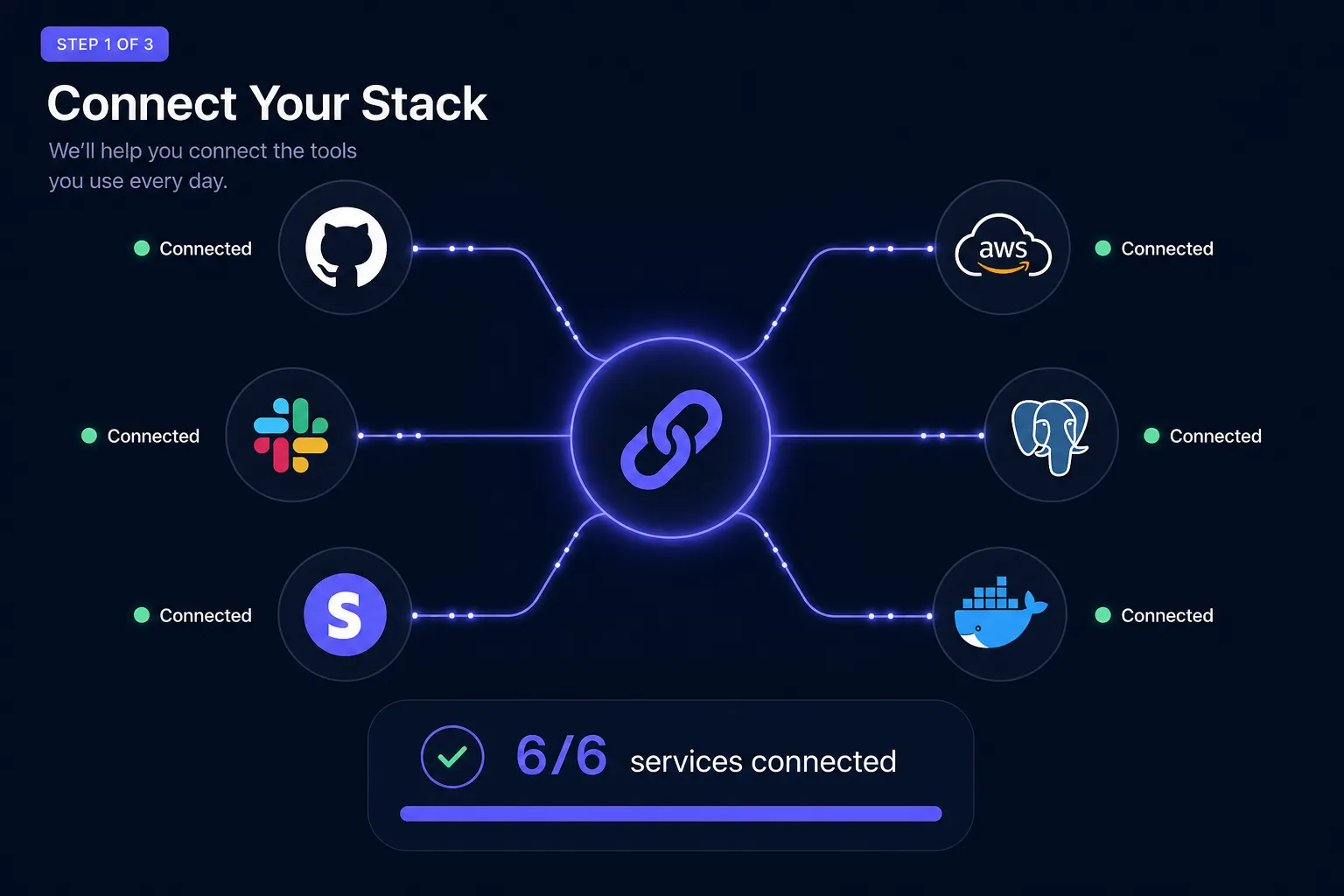
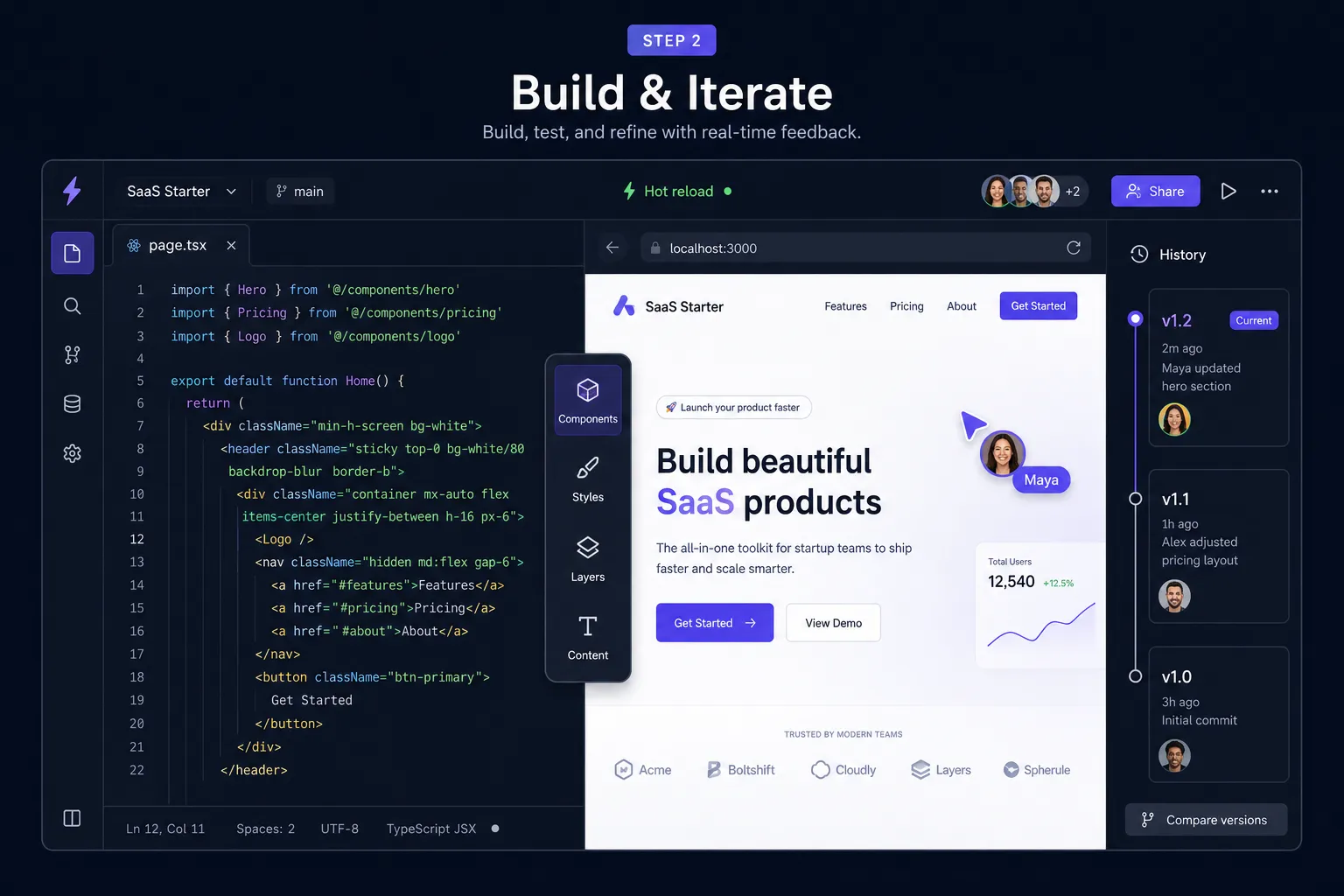
Push to Git Repository
Push your changes to GitHub or GitLab. LaunchPad automatically listens to your commits, generates live preview environments for pull requests, and runs link checks.
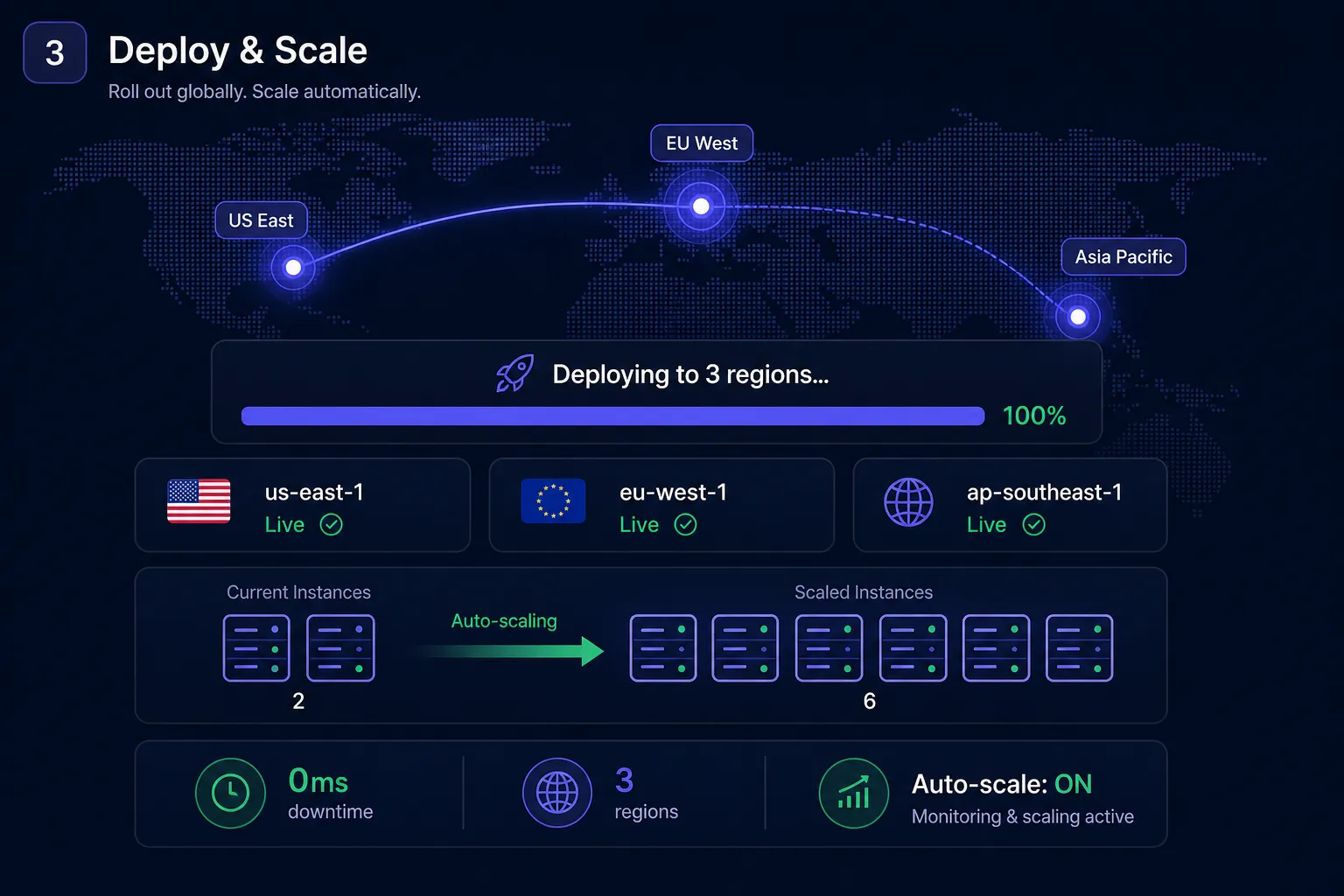
Instant Global Edge Deploys
Once merged, LaunchPad builds your docs and distributes them globally via our fast edge network. Speed up page load speeds, boosting SEO and readability.
TESTIMONIALS
Loved by developers, trusted by startup teams
"LaunchPad completely transformed our developer documentation experience. The syntax highlighting and tab groups are gorgeous. Our customer support engineering load decreased by 35% in one month."

"The OpenAPI sync alone is worth every penny. We just import our OpenAPI spec and get interactive playgrounds out-of-the-box. Developers can test live calls in their browser instantly."

"DocChat resolves 40% of developer queries before they submit a ticket. We trained the AI directly on our documentation in ten minutes. Truly a game-changer for B2B developer SaaS products."

SIMPLE PRICING
Flexible plans that scale with you
Start for free, upgrade when you need custom domains, analytics, or team features.
Starter
Perfect for small side projects, open-source repos, and individuals.
- Up to 3 projects
- Basic Search index
- Git sync Integration
- Community Support
Pro
For growing startup teams needing white-labeling, custom domains, and AI DocChat.
- Unlimited projects
- Custom Domains
- AI DocChat integration
- Interactive API playground
- Priority Support
Enterprise
For high-scale companies requiring advanced security, custom SLA, and SSO.
- SSO / SAML authentication
- Dedicated account SLA
- Custom CSS & Headless Docs
- On-premise deployments
- Dedicated Account Manager
FAQ
Frequently asked questions
Still have technical questions?
Talk to an engineerReady to upgrade your docs?
Join thousands of engineering teams using LaunchPad to ship beautiful developer documentation. Build trust, decrease support tickets, and convert users.